
Assess the code. Check the understanding.
Review programming submissions against your own criteria, then check understanding with questions generated from each student's submitted code.
Working code is not the same as understood code.
Tests and autograders show whether code behaves correctly. They don't show whether the student can explain the logic and choices in the code they handed in.
Vivas and walkthroughs can, but they're hard to repeat for every student and every assignment.

How it works
- 1
Set the assignment and criteria
You define what gets assessed.
- 2
Students submit their work
A file or ZIP, a GitHub repository or a Google Colab link.
- 3
Review the code assessment
Scores per criterion, with the reasoning and code evidence behind them.
- 4
Check individual understanding
Each student answers questions generated from their own code.
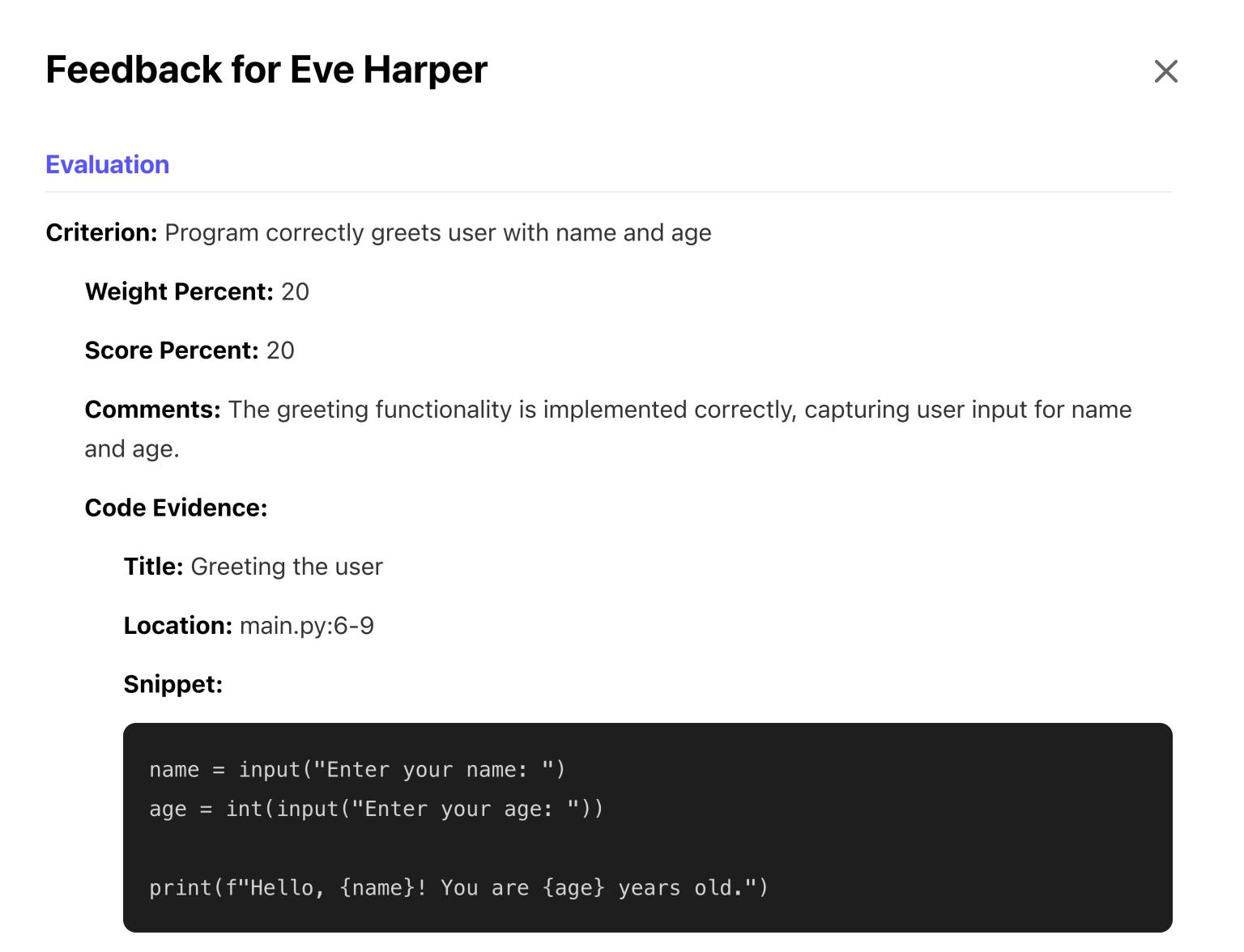
The instructor keeps the final say.
You set the criteria and their weighting. For each criterion you see a score, the reasoning behind it and the lines of code it's based on, and you can change any grade. Quiz length, timing and attempts are yours to set too.
Questions tied to the student's own code.
Questions come from each student's submitted implementation, not a shared question bank, so every student gets a different quiz. The result is an extra signal of understanding for you to weigh alongside the work itself.
largest = max(num1, num2, num3)
print(f"The largest number is {largest}.")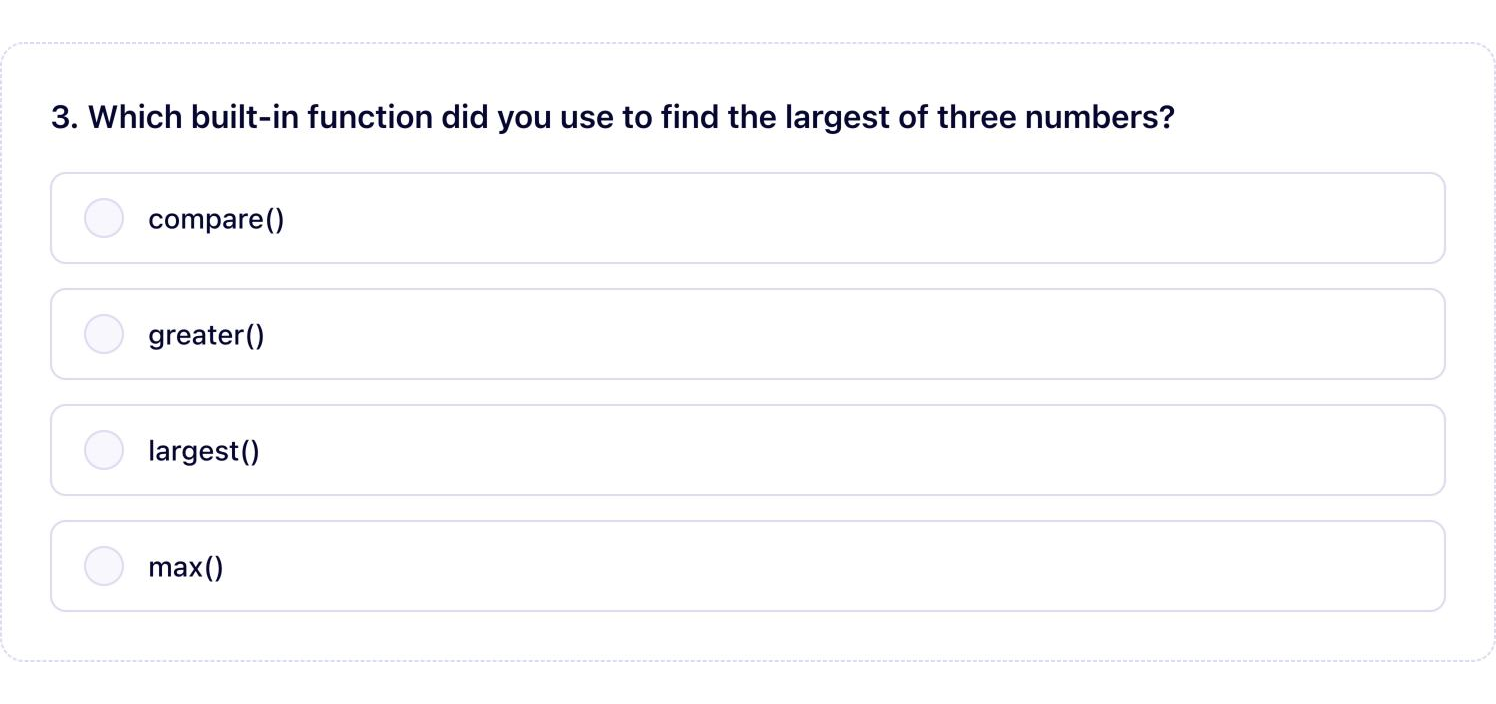
Where it fits
- Programming courses with repeated coding assignments
- Courses already using tests or autograders plus manual review
- Courses that use demos, vivas or code walkthroughs
- Large teaching teams where marking consistency matters
- Project-heavy software engineering courses
- Departments reviewing programming assessment in response to GenAI

“It has also cut down our grading and feedback time considerably. The integration was simple and smooth.”
Try it on one programming assignment.
See the code assessment and each student's understanding check in the same workflow.